 Android app
Compress Image Google Play
Shrink photos under a size limit for forms, uploads and chats.
What the app does
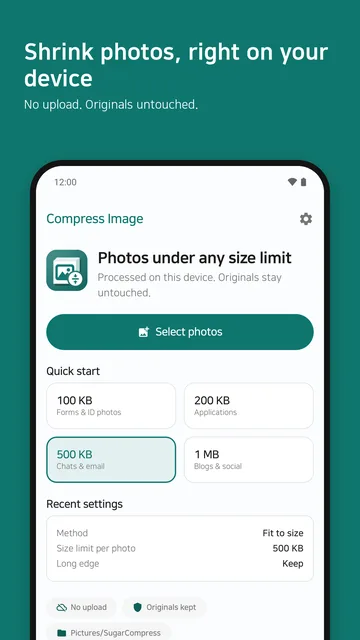
When a form or upload has a photo size limit, the app shrinks your photos under the limit you choose and saves them as JPEG. Your original photos are untouched, and nothing is uploaded: photos are processed on your device only.
- Pick photos — choose photos with the Android photo picker. The app does not request a storage permission.
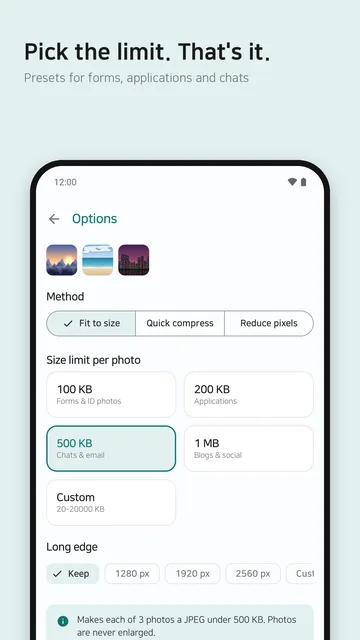
- Choose a mode — pick one of the three modes below and set its options.
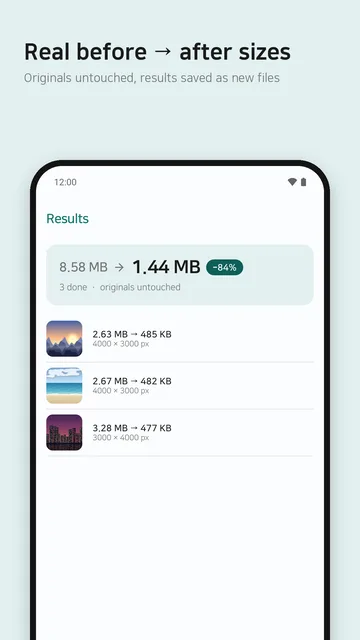
- Review, then save or share — check the results, then save or share them. Saved photos go to the
Pictures/SugarCompressfolder.
Three modes
- Fit to size
- Set a size limit per photo and the app shrinks each one under it. Choose 100 KB, 200 KB, 500 KB or 1 MB, or enter your own value. The limit applies to each photo individually.
- Quick compress
- Pick a quality level and compress quickly.
- Reduce pixels
- Set the length of the long edge to reduce the resolution. The aspect ratio is kept.
Photos are never enlarged. Sizes are shown with 1 KB = 1000 bytes.
Supported formats and limits
| Input formats | JPEG, PNG and WebP. HEIC works when your device can decode it. |
|---|---|
| Output format | JPEG |
| Photos per batch | Free: 20 · Pro: 100 |
| Size limits | 100 KB · 200 KB · 500 KB · 1 MB · custom (in KB) |
| Originals | Never modified. Results are saved as new files. |
| Platform | Android |
A photo that is too large for your device's memory may be refused for safety. If a photo cannot be brought under the chosen limit, the app tells you instead of marking it as successful.
Offline processing and privacy
- All compression happens on your device. Your photos, file names and results are never sent to our servers or anywhere else.
- Processing photos does not need an internet connection. Ads and the Pro purchase work only while you are online.
- No account is created. You can use the app right away without signing in.
- Anonymous usage stats and crash reports are on by default and can be switched off in Settings. Neither includes your photos or file names.
See the Compress Image privacy policy for details.
Free and Pro
Free
- All three modes
- Up to 20 photos per batch
- Shows ads
Pro One-time purchase
- Removes ads
- Up to 100 photos per batch
- Paid once through Google Play, yours to keep
The price is the amount shown on Google Play at release. If you change devices, use “Restore purchase” in Settings to apply a purchase made with the same Google account.
Contact
If the app does not work as expected or you have a question, please email us. Including your device model and Android version helps us look into it.
Email: sugarmount21@gmail.com