 Android app
Flip & Rotate Image Coming soon
Flip and turn selfies, scans and transfer prints, saved as new files.
SugarFlip (package name com.sugarmount.sugarflip) is being prepared for release on Google Play. The install link will be posted on this page once it is available.
What the app does
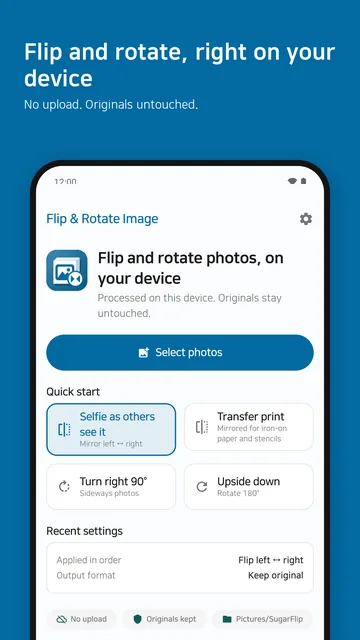
Use it when text in a selfie reads backwards, a scanned page lies on its side, or an iron-on transfer needs a mirrored print. The app flips photos left-right or top-bottom, turns them 90° at a time and saves them as new files. Your original photos are untouched, and nothing is uploaded: photos are processed on your device only.
- Pick photos — choose photos with the Android photo picker. The app does not request a storage permission.
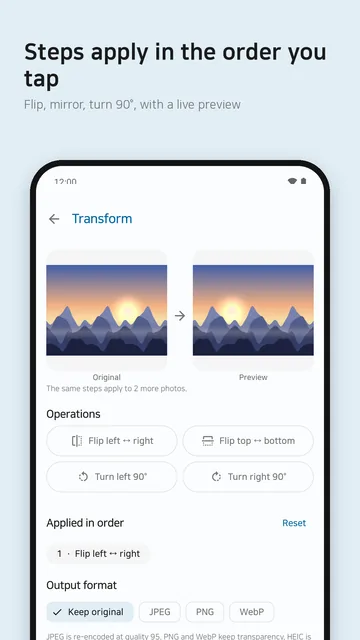
- Choose the steps — pick a preset, or tap flip left-right, flip top-bottom, turn left 90° or turn right 90° yourself. Steps apply in the order you tap, and a preview shows the result first.
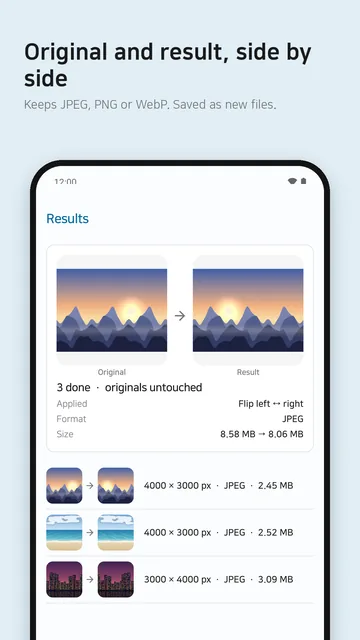
- Review, then save or share — compare the original and the result side by side, then save or share. Saved photos go to the
Pictures/SugarFlipfolder.
Presets
- Selfie as others see it
- Mirrors a front-camera photo left-right.
- Transfer print
- Mirrors left-right for iron-on paper and stencils.
- Turn right 90°
- For photos that came out sideways.
- Upside down
- Turns 180°.
The orientation your phone recorded (EXIF) is applied first, so photos are flipped as your gallery shows them. If the steps add up to no change (for example two left-right flips), the app tells you and does not save.
Supported formats and limits
| Input formats | JPEG, PNG and WebP. HEIC works when your device can decode it. |
|---|---|
| Output format | The source's own format by default (JPEG stays JPEG, PNG stays PNG, WebP stays WebP). You can also convert to JPEG, PNG or WebP. HEIC is saved as JPEG. |
| Transparency | Kept when saving as PNG or WebP. Filled with white when saving as JPEG. |
| Resolution | Kept. Only when the device runs short of memory is a photo reduced, and the result screen says so. |
| Photos per batch | Free: 20 · Pro: 100 |
| Per photo | Up to 50 MB and 50 MP |
| Originals | Never modified. Results are saved as new files. |
| Platform | Android |
JPEG is re-encoded at quality 95, so it is not bit-for-bit identical to the original. Animated images are not supported.
Offline processing and privacy
- All flipping and rotating happens on your device. Your photos, file names and results are never sent to our servers or anywhere else.
- Processing photos does not need an internet connection. Ads and the Pro purchase work only while you are online.
- No account is created. You can use the app right away without signing in.
- Anonymous usage stats and crash reports are on by default and can be switched off in Settings. Neither includes your photos or file names.
See the Flip & Rotate Image privacy policy for details.
Free and Pro
Free
- Every step and preset
- Up to 20 photos per batch
- Shows ads
Pro One-time purchase
- Removes ads
- Up to 100 photos per batch
- Paid once through Google Play, yours to keep
The price is the amount shown on Google Play at release. If you change devices, use “Restore purchase” in Settings to apply a purchase made with the same Google account.
Contact
If the app does not work as expected or you have a question, please email us. Including your device model and Android version helps us look into it.
Email: sugarmount21@gmail.com